
Enterprise Wi-Fi & Network Infrastructure Guide for Bahrain
Reliable wireless is the visible part of a wired system. This vendor-neutral guide from MTT — My Telecom Technology — explains how surveys, radio planning, switching, security and monitoring combine into a network that performs under real load.
Most wireless complaints — slow performance in a warehouse aisle, drop-outs in a hotel corridor, a meeting room that cannot hold a video call — are not caused by the access point on the ceiling. They are caused by coverage, capacity, cabling, switching or configuration decisions taken earlier.
This guide is written for IT managers, facility teams, consultants and project owners in Bahrain who are planning a new wireless network, extending coverage across a site, or trying to stabilise an existing deployment.
Why wireless needs a design, not a product list
Wireless is a shared medium. Every device on a radio competes for airtime, and one slow device can consume more airtime than several fast ones. Adding access points without a plan can increase interference rather than improve performance.
A workable design starts with three questions:
- What has to work? Handheld scanners, voice, video conferencing, guest browsing and machine connectivity all have different tolerance for latency and loss.
- Where and how many? Device density per area matters more than the number of employees.
- What is already installed? Cabling, switch capacity, PoE budget, uplinks and power protection determine what the wireless layer can actually deliver.
Site surveys and RF planning
A survey converts assumptions into measurements. Depending on the stage of the project, MTT engineers use a combination of:
- Predictive planning from drawings, with wall and material attenuation applied to model coverage before anything is installed;
- On-site validation to check real signal levels, signal-to-noise ratio, neighbouring networks and channel congestion;
- Post-installation verification to confirm the delivered coverage, roaming behaviour and throughput match the design intent.
Practical items recorded during a survey include ceiling height and construction, racking and stock height in warehouses, glass and metal surfaces, cable route feasibility, containment, power availability, and any areas with environmental exposure that need rated enclosures or outdoor equipment.
Indoor and outdoor wireless
Indoor coverage
Indoor access points are typically ceiling or wall mounted and fed by tested structured cabling with Power over Ethernet. Mounting position, antenna pattern and transmit power are chosen so cells overlap enough for clean roaming without excessive co-channel interference.
High-density areas
Auditoriums, ballrooms, canteens and training rooms concentrate many devices into a small space. These areas usually need narrower cells, directional antennas, careful channel width selection and capacity-led rather than coverage-led design.
Outdoor and yard coverage
Yards, car parks, quaysides and industrial areas need weather-rated access points, suitable mounting, surge protection, correct earthing and cabling that tolerates the environment. Coverage targets should reflect the actual devices used outdoors, which are often handheld or vehicle mounted.
Management platforms
Access points may be managed by an on-premises controller, a controller-less cluster or a cloud platform. Each model has implications for licensing, internet dependency, multi-site visibility and change control. MTT works with the vendor platform that suits the client's operating model rather than promoting a single approach.
Wi-Fi generations compared
Wireless generations are often quoted as headline speeds. In practice the useful differences are in efficiency, spectrum and behaviour under load — and the benefit is only realised when client devices, cabling and switching can support it. The summary below is indicative and vendor-neutral; final selection should follow a survey and a review of the device fleet and applicable local spectrum rules.
| Generation | Spectrum typically used | Where it can help | Practical considerations |
|---|---|---|---|
| Wi-Fi 5 | 5 GHz | Established offices with modest device density | Widely supported; less efficient when many devices share a radio |
| Wi-Fi 6 | 2.4 and 5 GHz | Mixed environments with growing device counts | Improved efficiency under load; benefits depend on client support |
| Wi-Fi 6E | 2.4, 5 and 6 GHz | Congested sites needing cleaner spectrum | 6 GHz availability and permitted use vary by regulation and device |
| Wi-Fi 7 | 2.4, 5 and 6 GHz | High-throughput or latency-sensitive use cases | Requires capable clients, multi-gigabit switching and adequate PoE |
Point-to-point, point-to-multipoint and microwave links
Where cabling between buildings or remote areas is impractical, wireless transport can connect sites. Point-to-point links join two locations; point-to-multipoint distributes connectivity from one hub to several remote nodes; licensed or unlicensed microwave links are used for longer or higher-capacity spans.
Engineering considerations include:
- clear line of sight and adequate clearance along the path;
- realistic capacity planning, including headroom for growth;
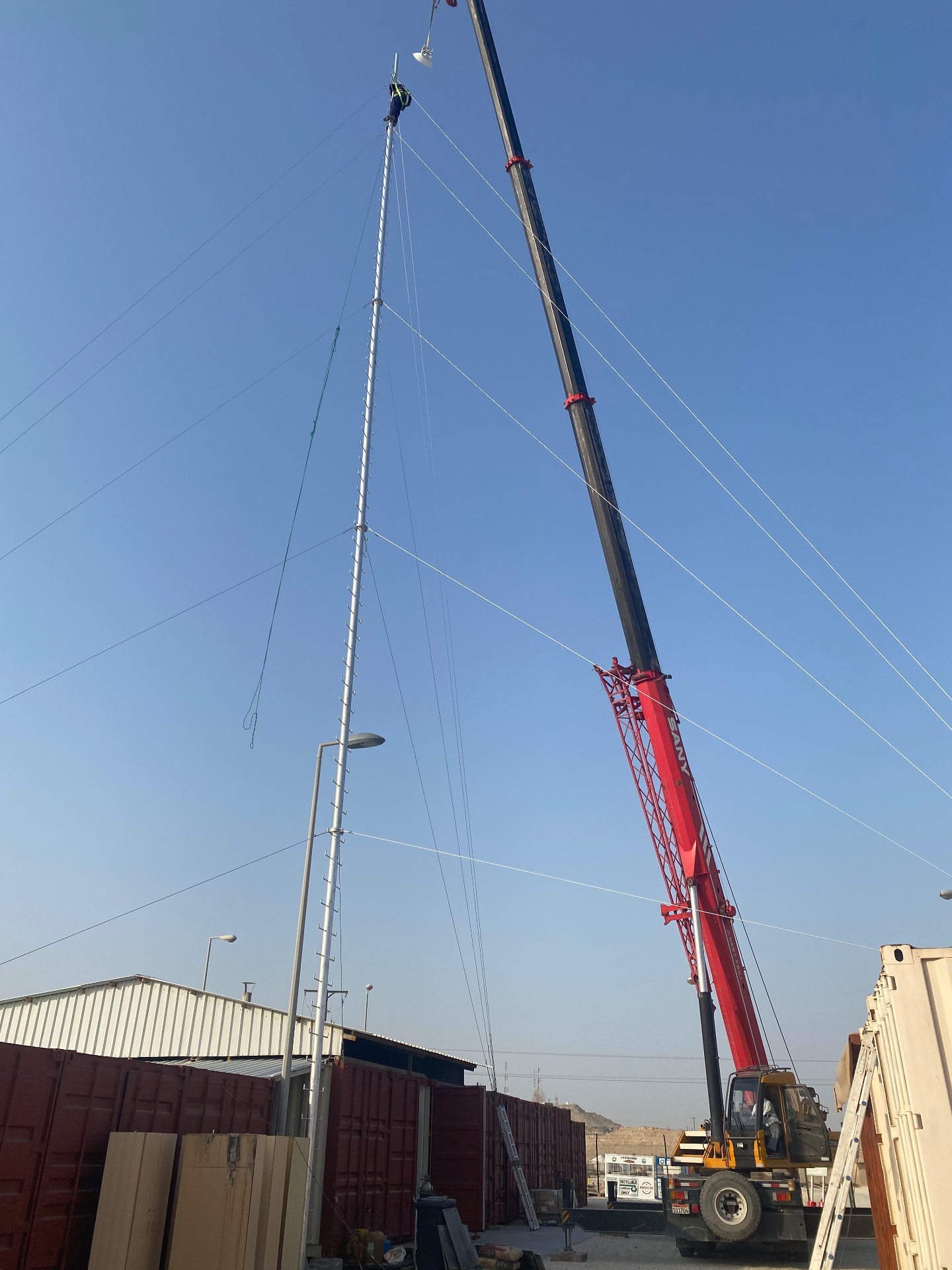
- mast, pole or rooftop mounting and structural fixing;
- alignment, surge protection and earthing;
- weather effects on availability;
- redundancy where the link carries critical traffic.
Switching, routing, firewalls and VLANs
Wireless performance is limited by the wired network behind it. The access layer must deliver enough PoE for every device, the uplinks must carry aggregated traffic without saturation, and the core must route between segments predictably.
- Access switches — port count, PoE and PoE+ budget, multi-gigabit ports where required, and stacking or redundancy.
- Uplinks and backbone — copper or fibre uplinks sized for aggregate load, with resilient paths for critical comms rooms.
- VLAN design — separating corporate, guest, voice, CCTV, building systems and management traffic.
- Routing and firewalls — inter-VLAN policy, internet edge protection, remote access and logging.
- Quality of service — prioritising voice and real-time traffic so it is not delayed by bulk transfers.
- Power protection — UPS support for switches and network rooms so the network survives short outages.
Guest and employee access
Separating who can reach what is a design decision, not an afterthought. Typical arrangements include a corporate SSID with enterprise authentication, a guest SSID with a captive portal or time-limited access, and dedicated networks for devices such as printers, building systems and cameras.
Practical points to agree before configuration:
- how staff devices authenticate and how leavers are removed;
- whether guests need bandwidth limits or session expiry;
- whether guest traffic is isolated from internal systems;
- how contractors and temporary users are handled;
- what is logged, and who reviews it.
Designing by environment
The same technology behaves differently in different buildings. MTT designs around the operating reality of each environment.
| Environment | Dominant challenge | Design emphasis |
|---|---|---|
| Offices | Device density and meeting-room load | Balanced coverage, clean roaming, capacity in shared spaces |
| Warehouses | Racking, stock changes, moving vehicles | Aisle-level coverage, antenna choice, robust roaming for scanners |
| Hotels | Room-by-room consistency and guest expectation | Per-area coverage, guest access control, discreet mounting |
| Campuses | Multiple buildings and outdoor space | Backbone links, consistent policy across buildings, outdoor coverage |
| Industrial sites | Environmental exposure and interference | Rated enclosures, surge and earthing, resilient transport |
Common coverage, interference and capacity problems
Weak coverage
Often caused by too few access points, poor mounting positions, or equipment installed where cabling was convenient rather than where coverage was needed.
Interference
Neighbouring networks, overlapping channels and non-Wi-Fi emitters reduce usable throughput. Channel planning and transmit-power control usually help more than adding hardware.
Roaming problems
Devices holding onto a distant access point normally point to overlapping cell design, transmit-power imbalance or inconsistent SSID settings across the estate.
Capacity limits
When coverage is good but performance is poor at peak times, the constraint is usually airtime, uplink capacity or internet bandwidth rather than the access point itself.
The MTT delivery process
- Step 01Requirements
Applications, device types, coverage areas, growth expectations and any constraints are agreed in writing.
- Step 02Survey and design
Predictive planning and on-site validation produce an access-point layout, channel and power plan, and a wired capacity design.
- Step 03Specification
Access points, switches, firewalls, cabling, mounting, power protection and management platform are specified with quantities.
- Step 04Installation
Cabling, containment, mounting, terminations and equipment installation are carried out to a documented layout.
- Step 05Configuration and testing
SSIDs, VLANs, security policy and quality of service are configured, then coverage, roaming and throughput are tested and recorded.
- Step 06Handover and support
As-built documentation, configuration backups, training and an optional maintenance contract for ongoing monitoring and support.
Site-survey and buyer checklist
Use this list when comparing proposals or preparing a scope of work.
- Documented applications and device types per area
- Expected peak device density, not just user count
- Survey evidence — predictive plan and on-site measurements
- Access-point layout with mounting positions and antenna choice
- Channel, transmit-power and roaming plan
- Cabling type, lengths and test results feeding each access point
- Switch port count, PoE budget and uplink capacity
- VLAN, firewall and guest-isolation design
- Outdoor equipment rating, surge protection and earthing
- Wireless-link path, capacity and resilience where applicable
- UPS protection for comms rooms and core equipment
- Management platform, licensing and firmware policy
- Acceptance tests and the criteria used to sign them off
- As-built documentation, labelling and configuration backups
- Monitoring, response arrangements and maintenance scope
Frequently asked questions
Related MTT capabilities
Request a Network Assessment
Share your site and objectives and an MTT engineer will review coverage, capacity and infrastructure readiness with you. Requests are handled through our protected enquiry form.