
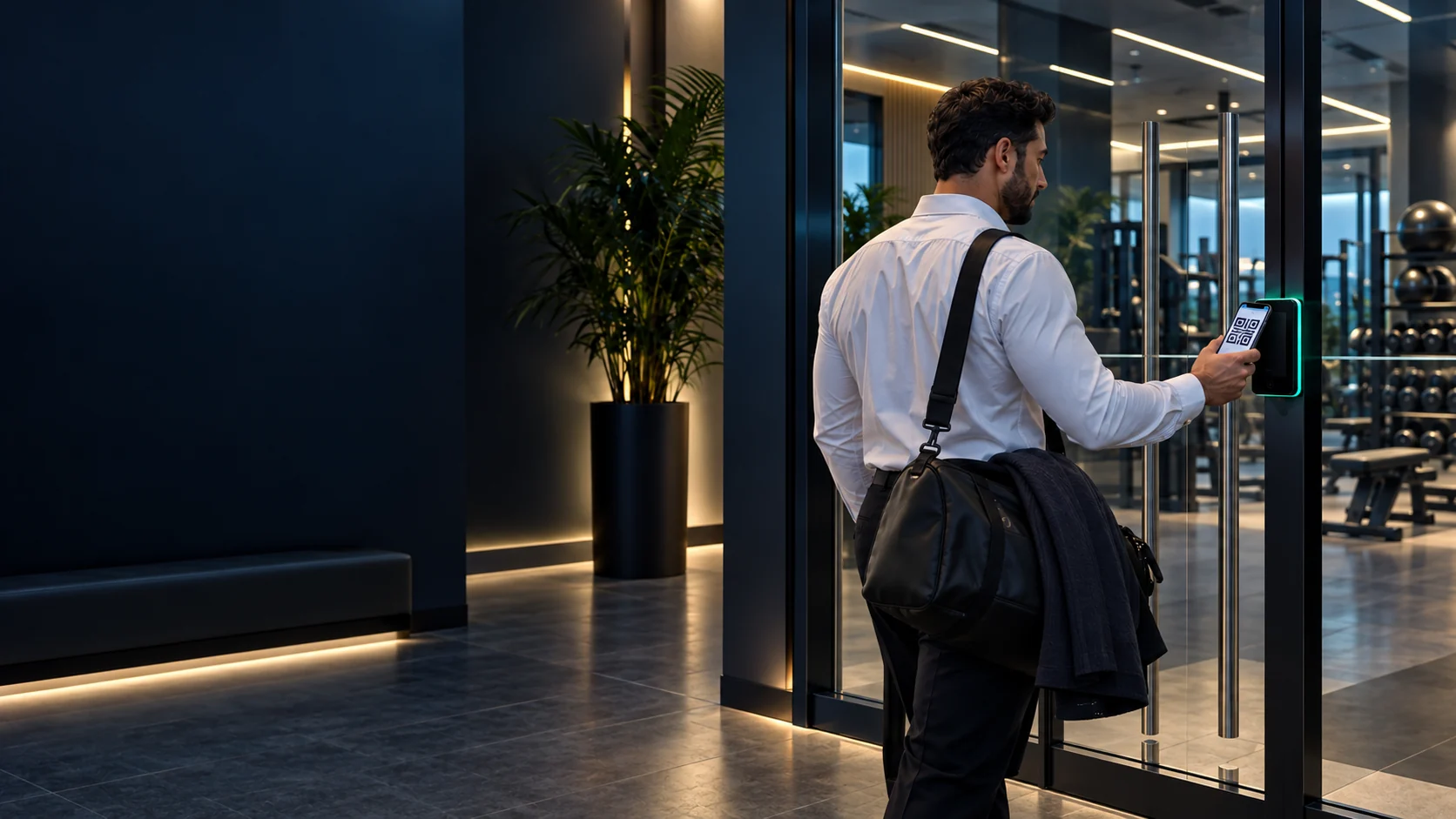
Dynamic QR Access Control & Visitor Management Guide for Bahrain
Managed QR credentials let a facility control who enters, where and when — without issuing cards or printing passes. This guide from MTT — My Telecom Technology — explains how the workflows, access points and permissions are planned.
In short: dynamic QR access control replaces physical cards and printed passes with a managed digital credential that regenerates continuously. Each person — staff, member, visitor or contractor — is given access only to the doors and time windows their role requires, and access can be changed or withdrawn centrally the moment circumstances change. Visitor management is built into the same system: the host pre-registers the guest, the credential expires by itself, and every entry is recorded.
This guide is written for facilities, HR, IT and security teams in Bahrain who are reviewing how people enter a building, gym, office floor or controlled area, and who want to understand what a dynamic QR deployment involves before requesting a proposal. It is deliberately brand-neutral — the principles apply regardless of which platform is selected during design.
How dynamic QR access works
A QR access credential is issued to a named person and is tied to a set of permissions held in the access system. Rather than displaying one fixed image indefinitely, a dynamic credential regenerates on a short cycle, so a screenshot passed to somebody else quickly stops matching what the reader expects.
At the entrance, the person presents the code to a reader positioned at the access point. The system checks three things before it releases the door: that the credential is valid, that the person is permitted at this specific access point, and that the attempt falls inside the schedule assigned to them. If all three pass, the door, turnstile or gate is released and the event is recorded.
Because the decision is made centrally, changing somebody's access is an administrative action rather than a physical one. Nothing has to be collected, re-encoded or reprinted, which is the main operational difference from card-based access on sites with high turnover or frequent visitors. See the QR code access control and visitor management service page for the scope MTT delivers.
User, visitor and contractor workflows
Most sites need three distinct workflows, and the difference between them should be agreed before the system is configured:
- Permanent users — staff, tenants or members enrolled once, with permissions matched to their role and, if relevant, their shift or membership hours.
- Visitors — pre-registered by a host, approved before arrival, and issued a credential limited to the specific date, hours and entrance they need.
- Contractors and suppliers — usually recurring but time-bounded, often restricted to working hours on named days and to service entrances or plant areas only.
Deciding who is allowed to approve each category, and who is accountable for removing access afterwards, is the part most often left undefined. It is worth writing down before configuration begins.
| Category | Typical validity | Typical scope |
|---|---|---|
| Permanent staff or members | Open-ended, reviewed periodically | Assigned doors and zones within working or membership hours |
| Pre-registered visitor | Single date and time window | Reception or a named entrance, escorted onward |
| Contractor or supplier | Defined project or service period | Service entrance and specific plant or technical areas |
| Temporary event attendee | Event duration only | Event entrance and public areas |
Doors, gates and turnstiles
The access point determines much of the engineering work. A pedestrian door with an existing electric lock is normally the simplest case: the reader is mounted, cabled and integrated with the existing locking arrangement. Turnstiles and speed gates add throughput and anti-tailgating considerations. Vehicle gates and barriers can be included where the entrance layout, presentation distance and safety devices support it — see gate barriers and vehicle access.
For each access point, the survey establishes the existing lock type and fail-safe behaviour required, available power and network provision, reader mounting position and reach, and whether emergency egress is affected. Where a site already operates conventional readers, QR access is often added alongside them rather than replacing everything — see access control systems.
Schedules, expiry and revocation
Three controls do most of the practical work in a QR deployment:
- Schedules — the days and hours during which a credential is accepted, which is how gym hours, shift patterns or contractor working windows are enforced;
- Expiry — an automatic end date so temporary access disappears without anyone having to remember it;
- Revocation — immediate central withdrawal when somebody leaves, loses a phone or has their permissions changed.
Together these remove the most common weakness of card systems: credentials that remain live long after they should have been returned.
Apple Wallet presentation
Approved users and visitors can keep their access credential in Apple Wallet, so at the entrance they open Wallet and present the code without searching for another application or carrying a printed pass. This is a convenience on the presentation side only — the permissions, schedules and revocation remain controlled in the access system, exactly as they are for a credential presented any other way.
Whether this is enabled on a particular site is a configuration decision taken during design, and it should be confirmed as part of the scope rather than assumed.
Privacy and security planning
An access system holds personal data: names, contact details, host relationships and a record of movements through controlled doors. Planning should therefore cover what is collected, who can see it, how long entry records are retained, and how visitor details are removed once they are no longer needed.
On the security side, the points worth agreeing are administrator roles and who can issue or revoke credentials, how enrolment identity is verified, what happens during a network or power interruption, whether entrances are also covered by CCTV and video surveillance, and how the system is kept current under a support arrangement. No system removes the need for a clear operating procedure behind it.
Site-survey checklist
Bring these to the survey and the design conversation moves much faster:
- Every access point to be controlled, with its location and existing door or gate hardware
- Current locking arrangement and the fail-safe or fail-secure behaviour required
- Power and network provision available at each access point
- User groups and approximate numbers in each
- Schedules, shift patterns or facility opening hours that apply
- Visitor workflow: who registers, who approves, where guests arrive
- Contractor rules: permitted areas, permitted hours, approval owner
- Administrator roles and who may issue or revoke credentials
- Entry-record retention expectations and any internal privacy requirements
- Existing access control, intercom or CCTV that should be considered alongside
- Whether Apple Wallet presentation is wanted for users or visitors
- Future access points or sites the design should allow for
Implementation questions to ask
- Which access points are in scope now, and which are planned later?
- How quickly can a credential be revoked, and who is authorised to do it?
- What happens at the door if the network is briefly unavailable?
- How are visitors handled outside office hours or at unstaffed entrances?
- What entry records are produced, and who reviews them?
- How is the system administered across multiple sites, if that applies?
- What testing and handover training will be provided at commissioning?
- What ongoing support is included — see annual maintenance contracts.
Frequently asked questions
Reviewed by the MTT Engineering Team · Published 23 September 2026
Related MTT capabilities
For a worked example, read the anonymised dynamic QR gym access control case study. For wider door and vehicle specification, see the access control and gate barrier specification guide and how these systems are applied in commercial buildings and offices, or get in touch.
Plan your project with MTT
Tell us about the entrances, user groups and visitor workflow, and MTT will arrange a site survey or prepare a proposal around the access policy you need.